Agents linked to your app
Most "AI features" bolt a chatbot next to an app and hope the user copies the reply back into a form. VCI does the opposite: the agent is inside the app. It sees your real state on every turn, and every action it takes runs through your code — not through browser automation or a scraped DOM.
┌──────────────────────────────────────────────────────────────┐
│                       Your Application                        │
│                                                               │
│   ┌──────────────┐         ┌──────────────────────────────┐   │
│   │              │  reads  │                              │   │
│   │  Domain      │◄────────│         AI Agent             │   │
│   │  State       │         │      (OpenAI Realtime,       │   │
│   │              │────────►│         gpt-realtime)        │   │
│   │              │ mutates │                              │   │
│   └──────┬───────┘  via    └──────────────┬───────────────┘   │
│          │        tool                    │                   │
│          │        calls                   │ voice in / out    │
│          ▼                                ▼                   │
│   ┌──────────────┐                 ┌──────────────────────┐   │
│   │  Read-only   │                 │   Push-to-Talk mic   │   │
│   │  UI (DOM)    │                 │   +  status pill     │   │
│   └──────────────┘                 └──────────────────────┘   │
└──────────────────────────────────────────────────────────────┘
The best way to link an agent to an app
The link between agent and app is not the DOM — it's a set of tool schemas. One tool per meaningful action. The agent picks a tool, your code runs it, and you hand back the fresh state. That loop is the whole framework.
| Pattern | Where the AI lives | What state it sees | How it takes action | Failure mode |
|---|---|---|---|---|
| Chatbot widget | Floating panel | Only what you pasted into the prompt | Talks — user must copy reply into a form | Answers are stale; user does the work anyway |
| RPA / DOM automation | Clicks on behalf of user | Whatever's visible in the DOM | Simulates clicks and keystrokes | Breaks on any layout change; brittle at scale |
| Copilot-style inline | Text editor / IDE | Local buffer + selection | Suggests text; user accepts | Fine for text, doesn't work for domain actions |
| VCI | Wired into your data model | Full app state, refreshed every turn | Typed tool calls into your own functions | Bounded, testable, deterministic per turn |
Six properties, one loop
Ground truth every turn
Every tool response echoes `current_state`, so the agent never operates on a stale mental model.
Bounded action space
A closed set of tools (≤ 8 recommended) means the agent can't invent an action that doesn't exist in your app.
Deterministic execution
Tool handlers are plain functions in your codebase — same testability as any other code path.
No DOM coupling
Redesign the UI, rename buttons, ship a new theme — the agent's contract doesn't move because it never touched the DOM.
Voice-native
Speech-in, speech-out over WebRTC. No text box, no copy-paste, no context loss between "what I said" and "what the app did."
Framework-agnostic
Vanilla JS, React, Vue, Svelte — VCI is a pattern with four module contracts. Plug it into anything.
Demos
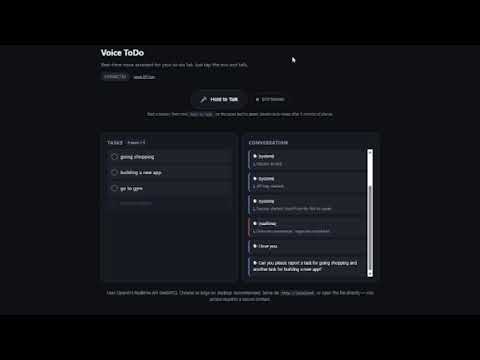
A first look at the voice-first loop: hold Push-to-Talk, speak a command, see the read-only UI update as the agent confirms out loud.
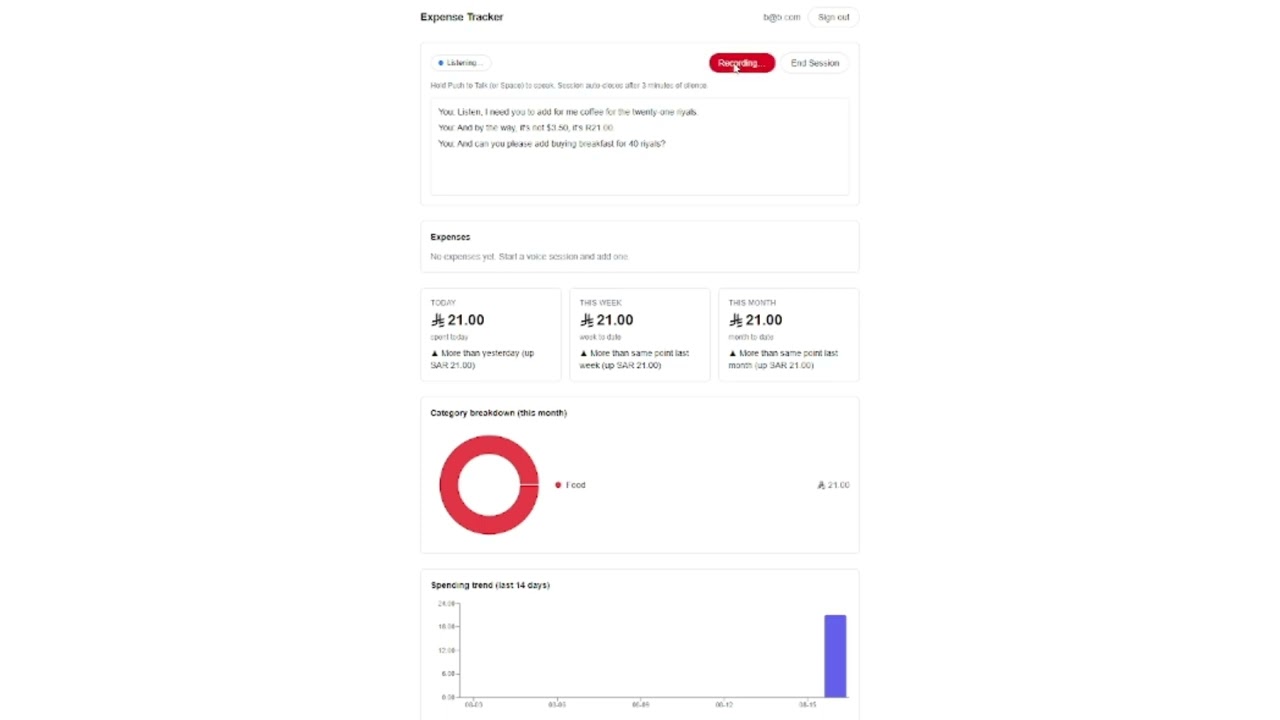
A second scenario showing tool schemas in action across a richer domain and how the agent resolves ambiguous references.
When to use VCI
| Good fit | Bad fit |
|---|---|
| Personal tools with a bounded action vocabulary | Multi-user collaborative apps |
| Solo users on a single device | Public deployments without a backend |
| To-do, notes, timers, expense capture, kanban, etc. | Apps needing precise pointer / drag / dense forms |
Ready to ship one?
The spec is written to be handed verbatim to a coding agent alongside a description of your target domain. The implementation checklist is a task list the agent can work through directly.